
Raise and follow your requests in our support portal at academy.healthcarelogic.com/tickets-view. Each request becomes a ticket for our team. If your health service uses its own service desk to contact us, use that instead.
For faults and data problems, see How to raise a problem with SystemView. It also covers response times, support hours and what happens after you raise a request.
In this article:
- Sign in to the support portal
- Raise a request
- Choose the right answer
- Ask for a mapping change
- Ask for training or ask a question
- Suggest an idea
Sign in to the support portal
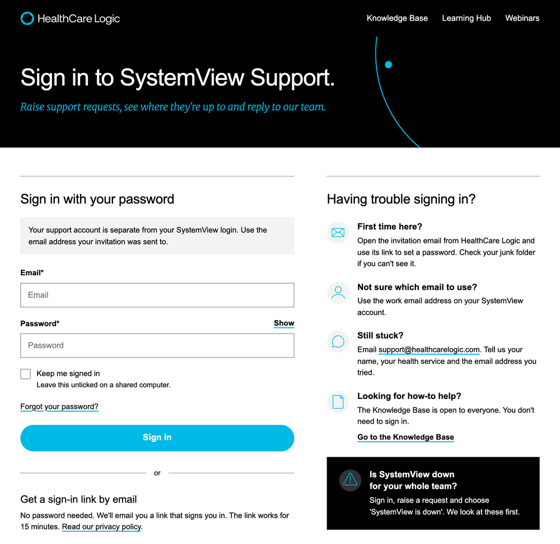
Your support portal account is separate from your SystemView login.
- First time? Open the invitation email from HealthCare Logic and use its link to set a password. Check your junk folder if you can't see it.
- Use the email address your invitation was sent to.
- No password? Ask for a sign-in link by email instead. The link works for 15 minutes.
- On a shared computer, leave Keep me signed in unticked.
- Still stuck? Email support@healthcarelogic.com with your name, your health service and the email address you tried.
Raise a request
- Open the support request form.
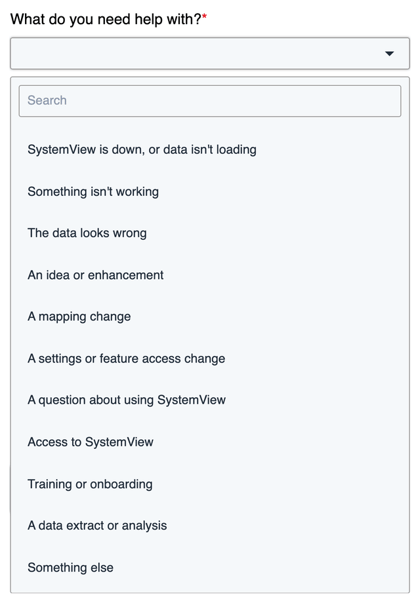
- Under What do you need help with?, choose the answer that fits. The form then asks only the questions for that kind of request.
- Fill in the questions.
- Click Submit. This creates a ticket for our team.
Leave out patient names and record numbers. If we need to trace a record, we'll contact you. We reply by email, and you can follow every ticket in the portal.
Choose the right answer
| Choose this answer | Use it for | What happens next |
|---|---|---|
| SystemView is down, or data isn't loading | SystemView won't open, or data has stopped updating | We treat it as P1, our top priority. |
| Something isn't working | A fault in a page, chart, filter or export | Our support team checks it and sets the priority. See How to raise a problem with SystemView. |
| The data looks wrong | Figures or records that don't match your source system | Our support team checks it and sets the priority. See How to raise a problem with SystemView. |
| A mapping change | A new or changed ward, bed, clinic, specialty or theatre | We agree a date for the change with you. See Ask for a mapping change. |
| A settings or feature access change | Changing a setting, or a user's access to a feature | Our support team checks what's needed and comes back to you. Some features are part of a separate agreement. If so, we'll tell you. |
| A question about using SystemView | How to find or use something | The form points you to the Knowledge Base first. If that doesn't help, we answer. |
| Access to SystemView | Help with access you can't set up yourself | We follow your health service's access process. See How to manage user access in SystemView. |
| Training or onboarding | Training for you or your users, or onboarding for new users | Our Clinical Solutions team contacts you to book it. See Ask for training or ask a question. |
| An idea or enhancement | A change or new feature that would help your work | We review it against our product roadmap. See Suggest an idea. |
| A data extract or analysis | A one-off extract or piece of analysis | This isn't part of standard support, so we check the scope with you first. Patient-level data needs your data custodian's written approval. |
| Something else | Anything that doesn't fit the answers above | Our support team reads it and replies. |
Ask for a mapping change
Mapping links your hospital's codes for wards, beds, clinics, specialties and theatres to SystemView's. When something changes, such as a new ward, the mapping needs updating so SystemView stays right. Most changes are for ED and Beds.
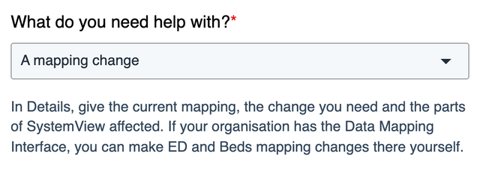
Your source-system experts usually hear about these changes first. Tell us as early as you can, ideally before the change goes live. In the form, choose A mapping change and answer these questions:
| Question | What to enter |
|---|---|
| Summary | A short description of the change |
| Details | The current mapping, the change you need and the parts affected |
| Which part of SystemView? | For example, ED or Beds |
| Facility | The facility or facilities the change is for |
| When should the change take effect? | The date you need it. Leave it blank for as soon as possible. |
| Raising this for someone else? | Their name and email |
| Attachments | Any files that help, such as a list of new ward codes |
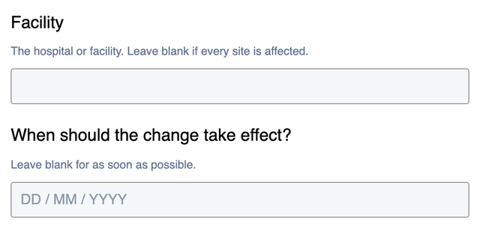
We'll agree a date for the change with you. If we need more detail, we'll contact you. If your organisation has the Data Mapping Interface, you can make ED and Beds mapping changes there yourself.
Ask for training or ask a question
If a user asks you to organise training, you can raise the request for them. Choose the answer that fits:
- Training or onboarding for training by email or Microsoft Teams, or onboarding sessions for new users. Our Clinical Solutions team will contact you to book it.
- A question about using SystemView for how-to questions. Many answers are in our Knowledge Base.
- Something else for any other question.
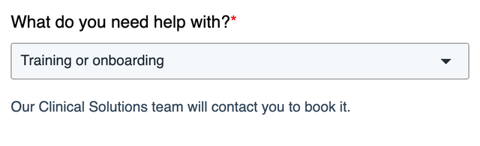
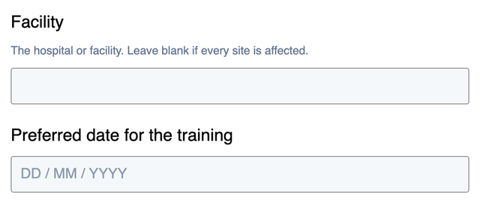
The form asks for a summary, the details, which part of SystemView it's about and the facility. You can also give a preferred date for the training and add any files that help.
Suggest an idea
Use this answer to suggest a change or a new feature. The more you tell us, the better we understand the problem, how much it affects people's work and how widespread it is. That helps us design the right solution.
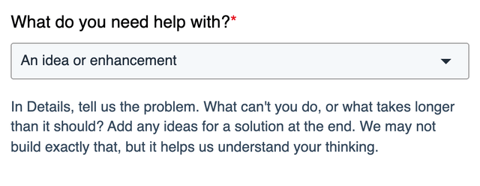
- In the form, choose An idea or enhancement.
- In Details, tell us the problem first, then add any ideas for a solution.
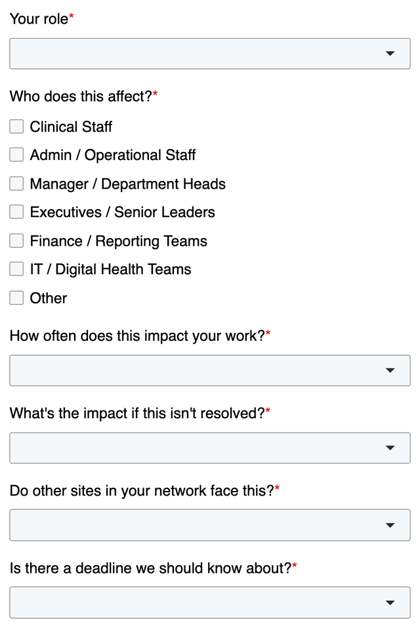
- Answer the extra questions: your role, who this affects, how often it affects your work, the impact if it isn't fixed, whether other sites face it, and any deadline.
HealthCare Logic considers every idea against our product roadmap. Raising an idea doesn't mean it will be built.